
You can connect your Microsoft Teams account to your Hubspot portal in order to:
- Send Microsoft Teams meeting links to your contacts when you create a "Meeting" in Hubspot.
- Receive Hubspot notifications in Microsoft Teams.
There is a native integration between Hubspot and Microsoft Teams. To install this integration, please follow these steps:
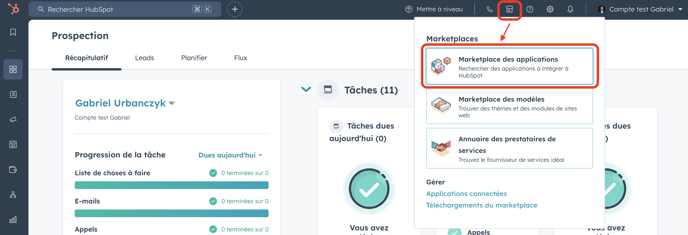
- Go to the Hubspot "App Marketplace":
- Search for "Microsoft Teams" in the Marketplace search bar and click on the application name:

- Install application:

- In order to deploy the Microsoft Teams application integration to all users of your Hubspot portal, we recommend that you select "Full Install" if you have the necessary authorizations.
Otherwise, you can contact your Microsoft administrator to perform the full installation, or perform a "Limited Install" yourself, which will allow you to install the integration for yourself only.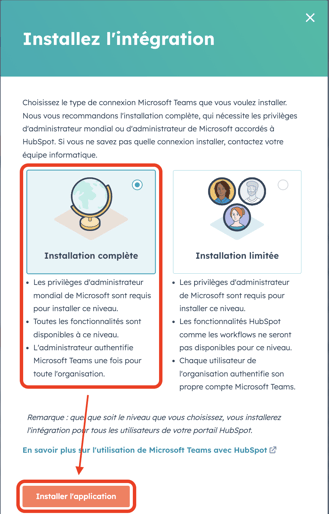
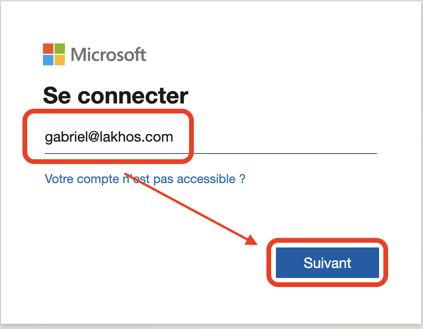
- Log in to your Microsoft account to complete the integration installation:
- Once the installation is complete, you can check that the Microsoft Teams application has been installed on your Hubspot portal by following this path in Hubspot: Settings > Integrations > Connected Apps :
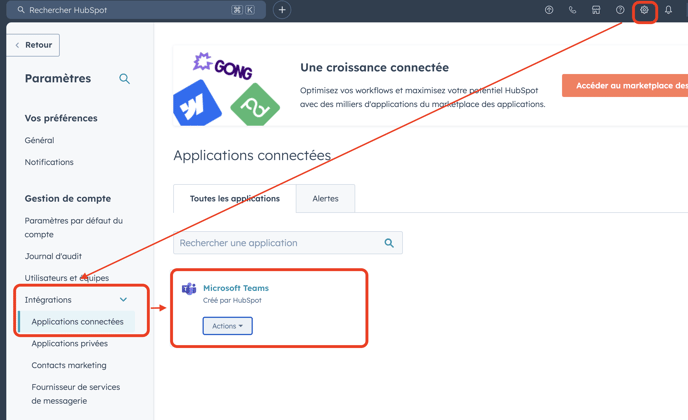
- You can then configure your integration to suit your needs by clicking on Actions > Go to settings.