
You can connect your Zoom account to your Hubspot portal in order to send Zoom meeting links to your contacts when you create a "Meeting" in Hubspot.
There is a native integration between Hubspot and Zoom. To install this integration, please follow these steps:
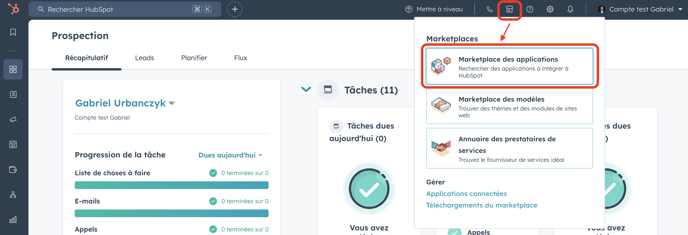
- Go to the Hubspot "App Marketplace":
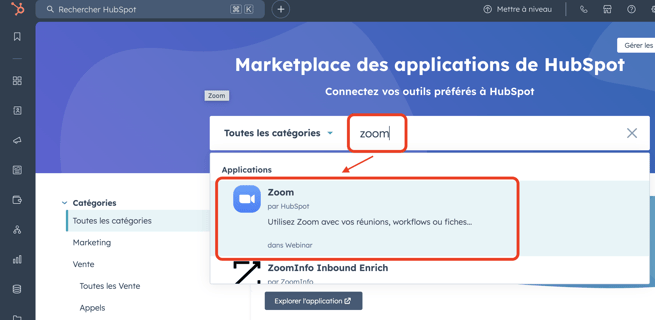
- Search for "Zoom" in the Marketplace search bar and click on the application name:
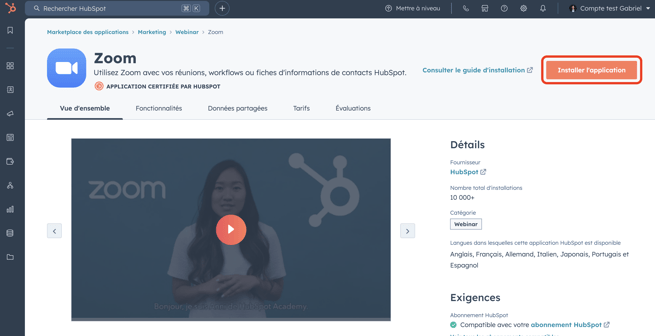
- Install application:
- Finalize the connection between the 2 applications.
You may not be able to finalize this connection (see image below) due to missing permissions on your Zoom account. In this case, you'll need to contact your IT administrator to set up the integration between Hubspot and Zoom.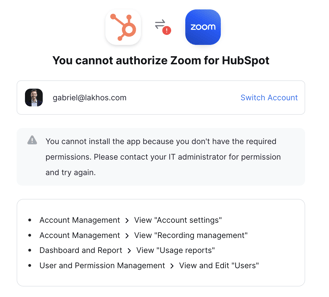
- Once the installation is complete, you can check that the Zoom application has been installed on your Hubspot portal by following this path in Hubspot: Settings > Integrations > Connected Apps :
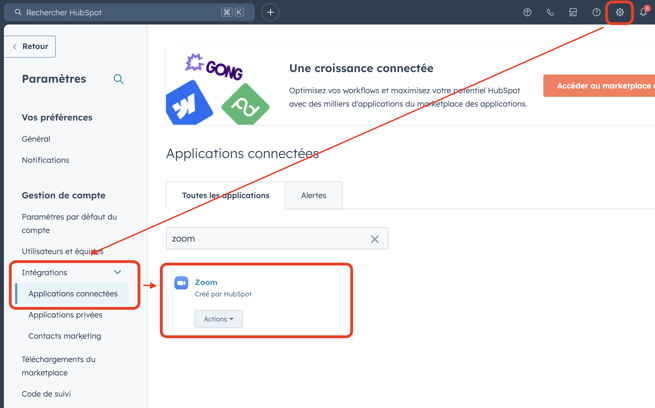
- You can then configure your integration to suit your needs by clicking on Actions > Go to settings.